


PlotifyTv
2.234.00 Reviews
App Specs
- Version
- 1.0.10
- Updated On
- License
- Free
- Downloads
- 50,000+
- Developer
- Yunzhiniang
- Categories
- Entertainment
- Platform
- Android
Screenshots

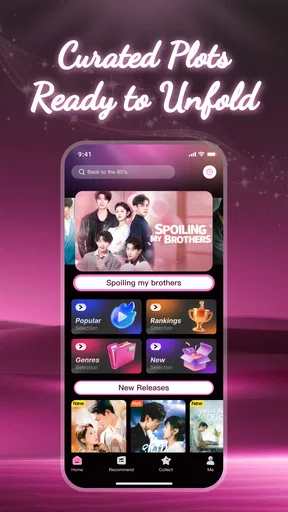
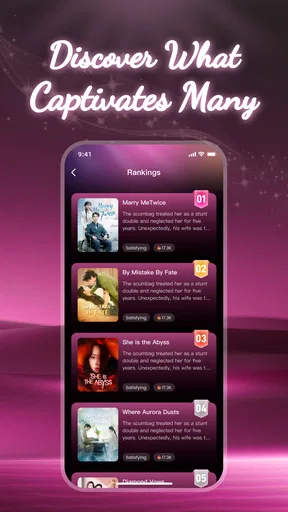
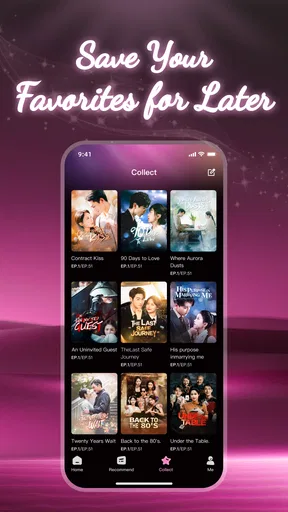
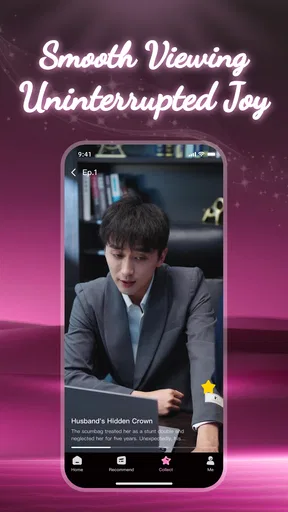
 Analysis by AppCompare
I opened PlotifyTv expecting a lightweight way to fill short breaks with drama episodes, and that is the right starting point for understanding it. This is a free entertainment app from Yunzhiniang, aimed at people who prefer brief, serialized stories instead of committing to a full-length film or a long television season. Its central promise is simple: choose a short drama, start watching, and let recommendations help with the next choice.
My overall impression is mixed. The idea is convenient, especially when I only have a few minutes, but the app’s modest average rating of 2.2 from around 68 ratings suggests that the experience may not be equally comfortable for everyone. I would treat it as an app to sample rather than an automatic replacement for a mature streaming service. The useful question is not whether it has a large entertainment catalog in the abstract, but whether its short-drama format fits the way you actually watch.
From an empty moment to a short drama session
I look at the first few minutes as a small test of whether a short-drama app fits my habits: can I choose a story without turning a brief pause into a long browse? In this section, I focus on how that choice can shape a satisfying session, then move on to what happens when viewing stretches beyond a single episode.
When the app makes sense
The best use case is a small gap in the day. Imagine waiting for a friend, taking a break between tasks, or winding down before bed without wanting to start a two-hour movie. I would open PlotifyTv in that situation because short episodes lower the commitment. If the first story does not catch me, I can leave quickly without feeling that I have abandoned a major production.
This format also suits viewers who like cliffhangers and quick narrative progress. A short drama can establish a conflict rapidly, deliver a reversal, and end with enough momentum to encourage another episode. That rhythm feels different from browsing a conventional video platform, where the choice often begins with a much longer runtime and a wider mixture of content.
There is a practical trade-off, though. Short episodes are convenient, but they can make a story feel fragmented when I watch only one at a time. The app is therefore more appealing to someone who enjoys frequent small sessions than to a viewer who wants a carefully paced evening of uninterrupted television.
The first decision is more important than it looks
Because the app’s store summary emphasizes recommendations, I would begin by watching how quickly the opening selection becomes useful. A recommendation system is valuable only when it reduces decision fatigue. If the first group of dramas feels close to my interests, I can move from browsing to watching with little effort. If it repeatedly presents stories that do not appeal to me, the main advantage over ordinary browsing disappears.
Worth Reading Before You Choose

Flipboard Shows What News Apps Must Do Beyond the Feed

Switching to Android Auto Means Rethinking Your Driving Routine

Google Calendar Makes a Crowded Week Easier to Manage

Ludo King Makes the Most of the Minutes Between Plans

Baby Panda World Brings Quick Play to Modern Phones, but Its Game Library Feels Busy

ESPN’s Live Game View Makes Following Close Games Easier
I would not judge the service from one title alone. Short-drama catalogs often depend heavily on personal taste: a dramatic twist that works for one viewer may feel exaggerated to another. My approach would be to sample the opening portion of several stories, notice which style holds my attention, and then follow the recommendations that seem closest to that preference.
That is one of the more useful habits with this kind of app: use the first session as a sorting exercise, not as a final verdict. The goal is to teach myself which recommendations are worth opening while avoiding a long, unfocused scroll through every available option.
The viewing flow in everyday use
Once I choose a drama, the experience should be judged in the order a real viewer encounters it: finding a title, starting playback, deciding whether to continue, and returning later. PlotifyTv is designed around smooth playback, but smoothness is not only about the video starting quickly. It also includes whether the next episode is easy to locate, whether the transition feels natural, and whether I can resume the story without reconstructing where I stopped.
For a short session, every extra interruption matters more. If I have only a few minutes, I do not want to spend most of them navigating menus. This is why the app’s compact format can be both its strength and its weakness: it promises fast entertainment, but the surrounding discovery and continuation steps need to be equally direct.
I would also use it differently depending on my attention level. During a commute or a noisy break, I would choose a story that is easy to follow in small pieces. At home, I might give a more complicated plot several consecutive episodes. This is not a special feature; it is a sensible way to work with the app’s short-form design rather than expecting every title to suit every moment.
How recommendations change the handoff from one episode to the next
The most important handoff is between finishing one episode and choosing what happens next. In a traditional television app, I may already know the series I want and simply continue. Here, recommendations have a larger role because they can either preserve momentum or break it. A useful suggestion lets me stay inside the same mood. A poor suggestion sends me back into browsing just when I was ready to watch.
I would pay attention to whether recommendations help me discover a related drama or merely create more choices. More options are not automatically better. For this format, a short, focused set of relevant suggestions would be more useful than a crowded screen that makes the next decision harder.
There is another subtle handoff: moving from a short episode to a longer alternative. If I start wanting deeper character development or a more polished long-form structure, PlotifyTv may no longer be the best place to continue. I would switch to a conventional streaming service at that point, rather than blaming a short-drama app for not behaving like one.
What the free label means in practice
PlotifyTv is free to install, which makes trying it low-risk. That is helpful for curious viewers who do not want to commit before seeing whether the catalog and viewing style suit them. The app also includes in-app purchases ranging from $0.49 to $369.99 per item, so I would pay close attention to any purchase screen and avoid assuming that every part of the viewing journey is covered by the free download.
My practical advice is to explore first and spend later, if at all. I would not buy anything simply because a story ends on a cliffhanger. I would first decide whether I am comfortable with the app’s overall selection, playback, and continuation flow. A dramatic ending is effective storytelling, but it should not pressure me into a purchase I did not plan to make.
This is especially important for shared devices. Since the content rating is Everyone, the app is presented for a broad audience, but purchase awareness still matters in a household where more than one person may use the phone or tablet. I would make sure the person watching understands when an action is part of ordinary viewing and when it leads toward a paid item.
Device fit and the quiet technical checks
The current version is 1.0.10 and the minimum operating system is Android 7.0. That makes compatibility a straightforward first check for Android users: an older device may need a system update before installation is possible. A newer phone should not automatically be assumed to provide a perfect experience, however. Video comfort depends on the device screen, network quality, battery condition, and how long the session lasts.
I would test the app on the device where I actually plan to watch, not only on a newer phone borrowed for a quick look. A service that feels fine on a modern screen may be less pleasant on an older handset, particularly during repeated short sessions. If playback is the main reason for installing it, the first test should be a complete episode rather than a few seconds of the opening screen.
For iOS readers, I would approach the download decision through the appropriate platform listing rather than assuming that the Android version describes every device experience. The app information places it in the mobile entertainment space, but platform-specific compatibility is always something I would check before planning a regular viewing routine.
A realistic workflow from input to outcome
Here is how I would use it on an ordinary evening. I begin with a spare ten or fifteen minutes and no clear title in mind. I open the app, scan the available short dramas, and choose one whose opening premise seems immediately understandable. I watch enough to decide whether the tone works for me, then use the next recommendation only if it feels related to what I just enjoyed.
If the first drama holds my attention, I continue for another episode while I have time. If I need to stop, I treat the session as complete rather than forcing myself to finish a story. On the next visit, I look for the same title first; if returning to it is not convenient, I use the recommendation flow as a discovery tool instead of starting the entire search again.
The desired outcome is not a huge viewing marathon. It is a reliable way to turn a small amount of free time into a satisfying story beat. When that happens, PlotifyTv is doing something useful that a large general-purpose platform may make unnecessarily slow through its enormous selection.
Where the flow becomes less comfortable
The first break in the workflow is uncertainty about value. A free installation is attractive, but the presence of paid items means I would not describe the whole experience as cost-free without first examining how the app presents those purchases. The wide purchase range also makes restraint important. Someone looking for a completely predictable, subscription-only viewing experience may prefer a different service.
The second break is the rating picture. With an average of 2.2 from around 68 ratings and around 50 thousand installs, the app has attracted attention but has not earned especially strong user approval. I would not treat that rating as proof that the app will fail on my device, yet I would take it seriously as a reason to test the basics before investing time or money.
The third break is the short-form structure itself. If I want a large library of established films, detailed controls, carefully organized seasons, or a familiar long-form viewing routine, a mainstream streaming platform is likely a better fit. PlotifyTv’s appeal depends on wanting compact dramas and quick discovery. Outside that use case, its central design may feel limiting rather than efficient.
There is also a concentration problem in short sessions. Because each episode can end just as the story becomes interesting, I may spend more time navigating from one piece to the next than I expected. I would avoid opening the app when I need to focus on a task, since the cliffhanger structure can make “just one episode” an unreliable plan.
Who should try it, and who should skip it
I would recommend giving PlotifyTv a trial if you enjoy serialized drama, prefer phone-sized viewing sessions, and like discovering stories through recommendations rather than arriving with a fixed watchlist. It is particularly suitable for people who often have irregular pockets of time and want entertainment that can begin without a major commitment.
I would be more cautious if you dislike cliffhangers, want a predictable monthly cost, or expect the depth and polish of a major streaming catalog. Parents may appreciate the Everyone content rating as a broad age classification, but I would still keep an eye on how purchases are presented on a shared device. The age label does not remove the need for sensible account and spending habits.
I would also skip it for now if my main goal were to replace every other video app. This is a focused tool for short dramas, not a universal answer to film, television, documentaries, or long-form series. Choosing it for the right job is more important than expecting it to cover every entertainment need.
My final take after following the whole journey
PlotifyTv is most convincing when I use it as a pocket-sized drama sampler, not as my main streaming home. The free entry point, short-episode approach, and recommendation-led discovery can turn an otherwise empty few minutes into a quick story session. That workflow is genuinely convenient when I want something lighter than a full program.
At the same time, I would keep expectations measured. The low average rating, the possibility of in-app spending, and the natural limits of short-form storytelling all deserve attention before I make it part of my daily routine. I would install it, test several titles, observe how easily I can move from discovery to playback and back again, and decide from that hands-on session.
For me, the verdict is conditional but fair: try it if short dramas match your habits and you are comfortable checking purchase prompts carefully. Choose a conventional streaming alternative if you need a broad, established catalog or a simpler cost structure. As a free entertainment app from Yunzhiniang, PlotifyTv has a clear niche, but its value depends heavily on whether that niche is exactly what I want to watch.
Pros
- Simple interface makes browsing available content quick and convenient.
- Supports discovering movies and shows through organized categories.
- Useful details help users decide what to watch before opening a title.
- Lightweight design generally feels responsive on compatible devices.
- Can be convenient for users seeking entertainment information in one place.
Cons
- Content availability may vary by country
- device
- or licensing agreements.
- Some listings may become outdated when streaming services change their catalogs.
- The app may redirect users to external platforms to watch selected titles.
- Not every movie or show necessarily includes complete information or artwork.
- Advertising or promotional elements may interrupt browsing for some users.
FAQs for PlotifyTv
What is PlotifyTV, and what kind of content does it offer?
PlotifyTV is an entertainment-focused platform designed for users who enjoy discovering and watching television shows, movies, and other video content in one place. Its catalog, categories, and available features may vary depending on your region and the version installed. Before downloading, users should review the app’s current description and supported content to confirm that it offers the genres, languages, and viewing options they are looking for.
Is PlotifyTV free to download and use?
PlotifyTV may be available to download without an upfront charge, but that does not always mean every feature or title is completely free. Some services include advertising, optional subscriptions, premium content, or in-app purchases. We recommend checking the official store listing and the app’s payment information before creating an account or starting playback, especially if the application requests billing details or offers a trial period.
Can I watch PlotifyTV content offline or without an account?
Offline viewing and account requirements depend on the features enabled in the current version of PlotifyTV. Some streaming applications allow downloads for selected titles, while others require an internet connection for all playback. Likewise, browsing may be possible without registration, but saving favorites, synchronizing devices, or accessing personalized recommendations could require an account. Check the app settings and privacy information for the exact limitations.
Is PlotifyTV available on both Android and iOS devices?
PlotifyTV availability can differ between Android and iOS, as well as across countries and device models. Before downloading, search for the application in the official Google Play Store or Apple App Store and verify the developer name, ratings, required operating-system version, and recent update date. Avoid unofficial installation files or unknown download pages, since they may not provide the genuine application or the same security protections.
Is PlotifyTV safe to use, and what permissions or data may it request?
As with any entertainment application, users should review PlotifyTV’s developer information, store reviews, privacy policy, and requested permissions before installation. A streaming app may need network access, notifications, and storage access for selected functions, but permissions unrelated to its main purpose deserve closer attention. Keep your operating system updated, download only from trusted stores, and avoid sharing unnecessary personal or payment information.


